Explainer videos, made by your own agent
Give your Claude a paper, an article, a PDF or a GitHub repository. It writes the script and the code for each scene in our house style, on your own plan. Studio records the narration, renders the piece for wide screens and phones, checks it and hosts it in a private room.


Studio charges for the voice and the renders
Most of what an explainer costs to make is the model’s work: reading the source, writing the script and coding each scene. In Studio that work runs on your Claude plan. Studio bills for the parts that run on our machines.
- QuoteYou see the price before each run. Credits are held when you approve it and spent when the files arrive.
- FailuresA failed render’s hold goes back to your balance.
- CapEach account has a daily spending limit you set, and runs stop at it.
Four steps from a link to a finished piece
Your Claude reads and writes on your own plan. Studio gives it the house rules, and runs the voice and the video.
- Your computerYour Claude, in Claude Code01
Connect your agent
Install the Studio plugin in Claude Code and sign in to Studio once with your email.
/plugin install vibes-studio@vibes-agent - The doorMCP + REST · 17 tools02
Point it at a source
A paper, an article, a PDF or a GitHub repository. Your Claude writes a premise, a script and the code for each scene.
- Studioquote · hold · stage03
Approve the price
Before any machine starts, Studio quotes the exact cost of the voice and the renders. Nothing is charged until you say yes.
- Our machinesvoice · render · checks04
Review and share
Every scene comes back to the stage with its checks. Share the piece in a private room, or submit it to the feed.
Fix one scene at a time
Each scene is code, so a note on one scene gets a change to that scene. Your Claude reads the note, edits the scene, and the voice is redone for the sentences that changed. Press Send the note to see it.
- ScenesEach one’s frame, narration, checks and share of the price, in one list.
- NotesYour agent picks them up through the connection it built the piece with.
- VersionsEvery take of every scene is kept, so you can compare them or go back.


Each scene is laid out for the screen it plays on
Your Claude writes each scene once, and the house kit lays it out twice: wide for laptops and embeds, tall for phones. Both come in Night and Day, and each viewer gets the one that fits their screen and setting.
| What changes | Wide | Phone |
|---|---|---|
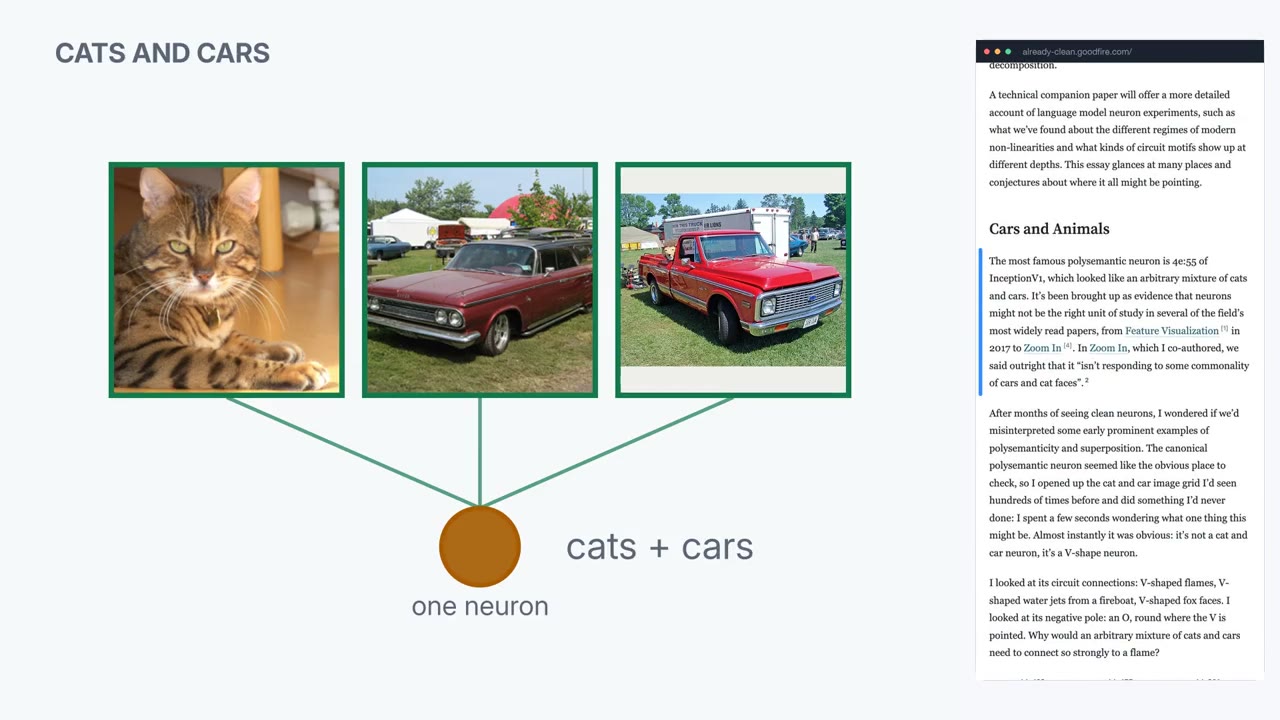
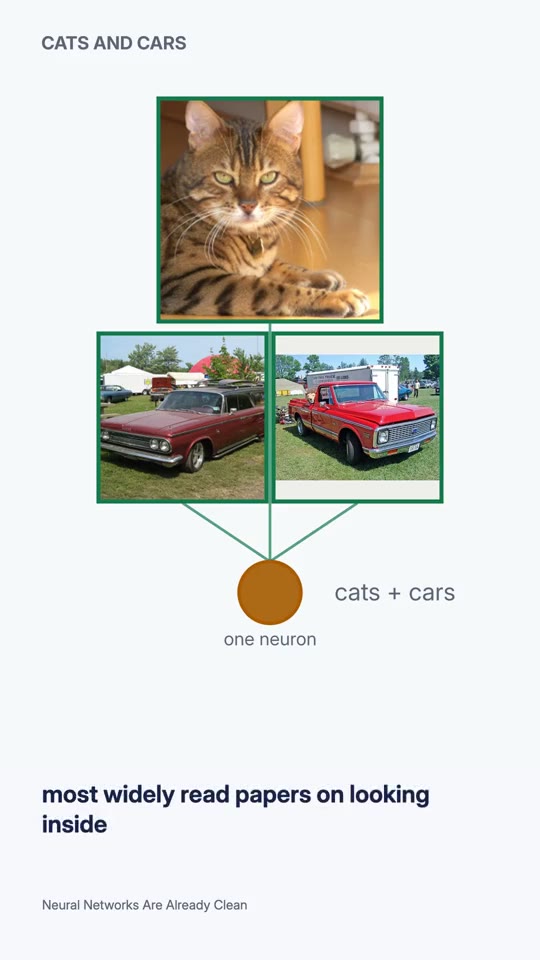
| The source | WideThe article itself, on the right, scrolling to the passage being read and marking it in the margin. | PhoneNamed at the foot, so the scene gets the whole screen. |
| The layout | WideSide by side. The cat and both cars sit in one row, each wired to the neuron. | PhoneStacked: the cat above the cars, in type sized for a phone. |
| The words | WideNo caption band. The width goes to the scene and the source. | PhoneCaptions under the scene, for watching with the sound off. |
| Made for | WideA laptop, a talk or an embed. | PhoneA phone, held upright. |
The house style
One palette and type scale for every piece, sized to read on a phone, with motion rules your Claude follows from the first draft.
Checks on every render
Captions are matched to the voice, and loudness, frame use, the numbers on screen and the first frame are checked before anyone watches.
Two voices
The house voice runs on our GPUs. For drafts, a free voice runs on your own computer.
Private rooms
Share a piece with a link, a passcode or a list of email addresses, and see who watched.
Publish to the feed
Submit a finished piece to the vibes agent feed. It goes up once it passes the checks and a review.
Your own documents
On Teams, your Claude reads your manuals, design docs and papers, and the pieces live in rooms only your people can open.
Drafts are free. The house voice and final renders cost credits.
Credits cost $1 each. A 6-minute piece in the house voice, in all four formats, uses 1.60 credits: 0.60 credits for the voice and 1 credit for the renders.
Free
The free local voice on your computer, 10 preview renders a day, one private room, and the house style, kit and checks.
Coming soonPay as you go
$1 a credit. The house voice is 1 credit per 10 minutes of narration; final renders are 1 credit for all four formats, up to 15 minutes. Holds come back on failed runs.
Coming soonTeams
Runs on your team’s own plan, with rooms behind email allowlists and your own colours, type and frame marks.
Talk to usPrices are in US dollars. Your own Claude plan is billed separately.
Questions
Do I need my own plan?
Yes. Studio works with Claude Code on your own account. Your Claude reads the source and writes the script and scene code, and that usage counts against your plan.
Can you see my agent’s account?
No. You sign in to Studio with your email, and your Claude connects to Studio from your computer. We never ask for or store its login.
What can I make a video from?
Papers from arXiv, web articles, PDFs and GitHub repositories, pull requests or commits.
Who owns the videos?
You do. Pieces stay private until you share a room link or submit them to the feed.
What happens if a render fails?
The credits held for it come back to your balance, and the stage shows what went wrong.
Can I use my own colours and fonts?
On Teams, yes. Your pieces use your palette, typefaces and frame marks on the same layouts.
Your first draft is free
Install the plugin in Claude Code, connect your agent and paste a link.